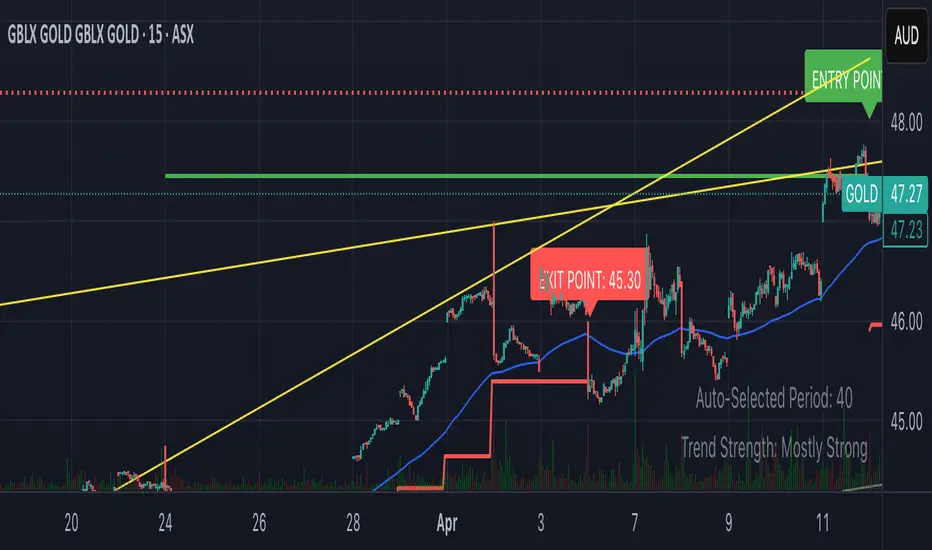
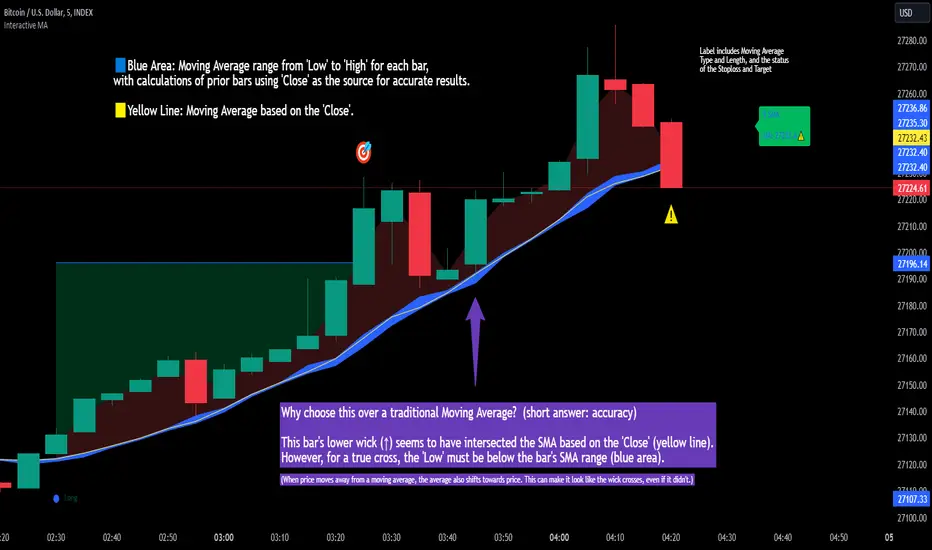
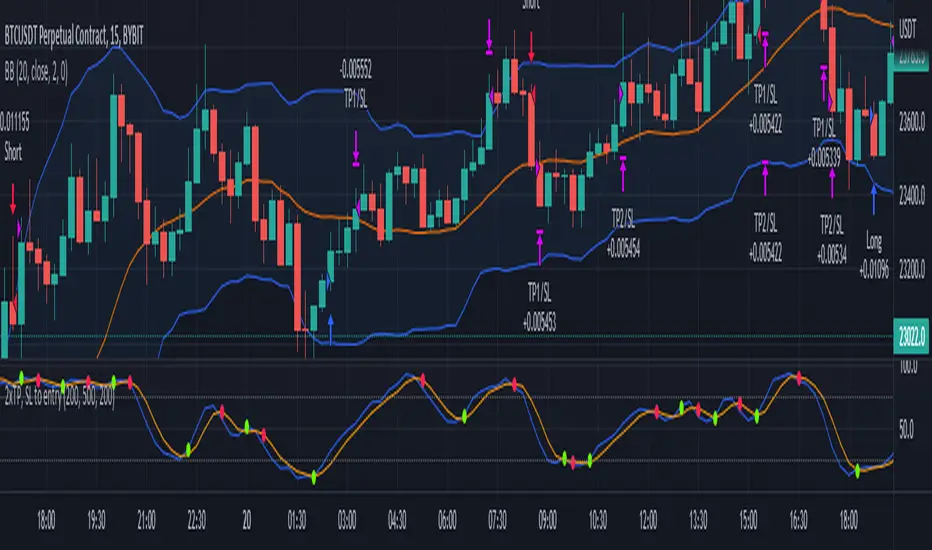
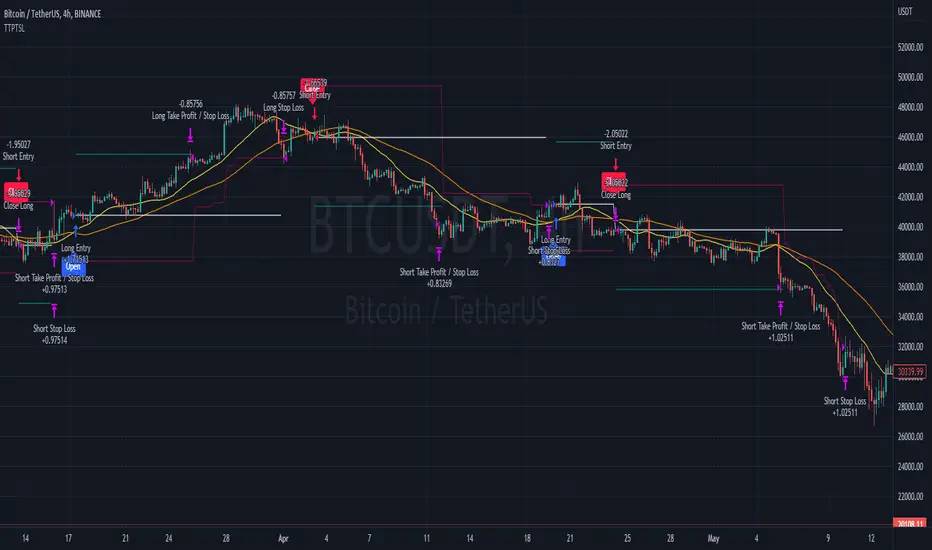
TBT Stop Loss Hunting AlertPurpose:
The TBT Stop Loss Hunting Alert is a simple early warning system that indicates when Bitcoin could have unexpected volatility (in either direction) within a 24 to 48 hour time frame as you can see above (indicated by the red bar/column in the indicator lane). By knowing when there could be possible upcoming volatility for the price of Bitcoin, traders can take preventative measures to protect open positions to preserve profits.
Time Frame:
While you can view this indicator on any time frame, it was originally created with the 6-hour time frame in mind. Because of this, the indicator can be set to "same as symbol" (the indicator will adapt to any time frame you use) or "6 hours" (the original and intended time frame). Please understand that the alert will show "noise" (false positive signals) on faster (lower) time frames. This is another reason to keep the indicator on the 6-hour time frame in its settings.
Metrics:
The TBT Stop Loss Hunting Alert looks at sudden/unexpected changes in price action, volatility, and volume.
Realistic Expectations:
While this indicator is effective in alerting users when there could be sudden volatility for Bitcoin, note that there is no way to know which way Bitcoin will move after the alert is triggered. The frequency of alerts is few and far between, but in a way this is a good thing. When the signal is triggered, it is a great early warning system to remember to be careful for the next 24 to 48 hours.
ابحث في النصوص البرمجية عن "stop loss"
OHO Trend Finder and Trailing Stop LossStudies Used:
We have used different type of moving averages and average true ranges in this indicator.
Usage:
It can be used for scalping and Intra-day trading. It works on all time frames and Scripts.
It provides easy to visualize multiple information:
1) It gives the correct Entry on Time.
2) Fake trends are shown on purple color of trend line .
3) It gives proper Exit on time. or Exit as per your own Risk Reward Ratio.
4) Easy Trailing Stop Loss as per trend line .
How to read OHO® Trend Finder and Trailing Stop Loss Indicator?
Trend line color:
Red = Sell side trailing
Green = Buy side trailing
Purple = No trade zone or Cautious Trade Zone
How to find Sideways?
If Price is above the UpTrend and it's showing a Red color, then it might be a sideways script.
And vice versa If Price is below the DownTrend and it's showing a Green color, then it might be a sideways script.
Recommendations:
Trade is recommended to be closed when price is below UpTrend line (in case of buy side trade) or it is above DownTrend line (in case of sell side trade)
What time frame should I use?
15 Minutes time-frame for Intraday and 1 Hour Time Frame for Swing Trading, But you can check different time-frames and scripts as per your requirements.
Disclaimer:
For any type of queries and suggesions kindly send us personal message.
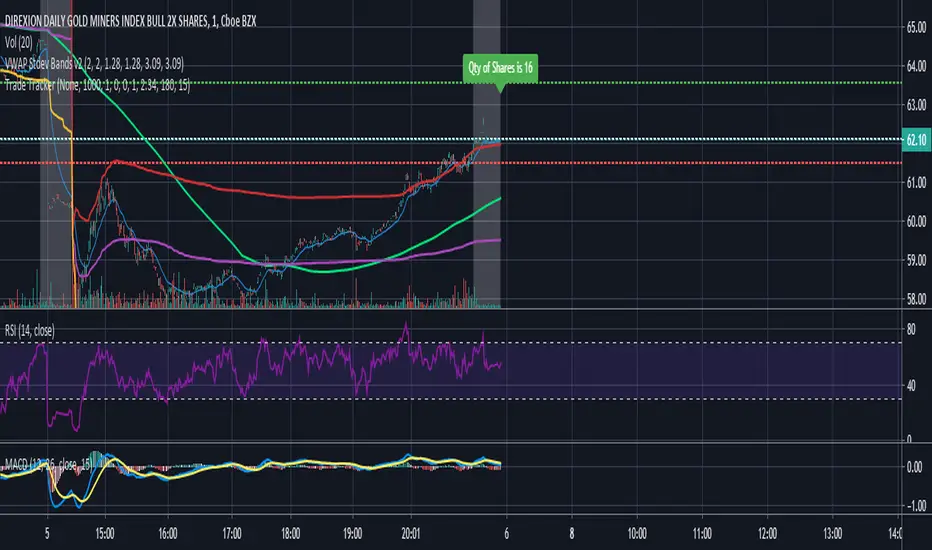
Trade Tracker - Real time stop loss and take profitTrade Tracker;
Key features
- Real time tracking of stop loss
- Real time tracking of Take Profit
- Real time tracking of break even point
- SMA integration
- EMA integration
Break even point calculated by doubling the single fee cost and adding stamp duty percentage.
Stop loss calculated by the customized percentage.
Take Profit calculated by the customized percentage.
Visually see how many shares you can buy. In the settings tab add your account balance. E.G 1000. You can then also add a portion size if you only want to trade with half your account. For this simply add 2 in the portion field. Alternatively add any multiplier you like.
Flexta PVA Entry & Stop Loss V2This indicator used together with the result generated from FLEXTA PVA Alerts.
Upgrade to Version 2 with more user-friendly features.
It is a guideline to decide entry or exit position based on FLEXTA PVA trading rules.
User will easily understand each stock trend based on PVA phases, and it will help to improve the decision making before entry or exit.
Detail Indicator Description :
1. Green Circle with number 1 (Above Candle)
- PVA Stage 2 Priority 1
2. Orange Circle with number 2 (Above Candle)
- PVA Stage 2 Priority 2
3. Red Circle with number 3 (Above Candle)
- PVA Stage 3
4. Blue Candle Color (Candle Body)
- TPVA Top Stock
5. Red Circle with number 4 + Red Inverted Triangle (Below Candle)
- PVA Stage 4
6. Grey Background Pillar (Background)
- Momentum Detected
7. Red Circle (Below Candle)
- Redefined Stop Loss Suggestion
8. Red Line (Below Candle)
- Stop Loss Line reference
9. Cyan circle with star (Below Candle)
- PVA + RSI Oversold
10. Navy Blue Triangle (Below Candle)
- Swing Signal ( Follow the early signal )
11. Risk and Reward Panel (Above Candle)
- Cyan Color Panel - Low Risk
- Yellow Color Panel - Medium Risk
- Red Color Panel - High Risk
12. T Play Panel (Below Candle)
- T1 up to T9 Marking
13. S1 Top Stock Panel (Above Candle)
- Grey Color Panel with Remark
Stop Loss_Traders StreamHello Guys we created another tool to calculate your Risk / Stop Loss per Trade. This will automatically calculates the DATR and as per your Risk Input it will calculate and show Stop Loss Price and even it will draw a Red coloured Horizontal line for your reference. Before changing stock don't forget to make Zero @ "Distal Line of DZ / SZ". Please post if any recommendations.........
Flexta PVA Entry & Stop Loss V1Flexta PVA Entry Stop Loss V1
This indicator used together with result generated from Flexta PVA Scanner.
It is a guideline to decide entry or exit position based on Flexta PVA trading rules.
User will easily understand each stock trend based on PVA phases and it will help to improve the decision making before entry or exit.
How to Use :
1. Green Circle with number 1 (Above Candle)
- PVA Stage 2 Priority 1
2. Orange Circle with number 2 (Above Candle)
- PVA Stage 2 Priority 2
3. Red Circle with number 3 (Above Candle)
- PVA Stage 3
4. Blue Candle Color
- Top TPVA
5. Grey Background Pillar
- Momentum Detected
6. Red Circle (Below Candle)
- Stop Loss Suggestion
7. Red Line (Below Candle)
- Stop Loss trailing
8. Cyan circle with star (Below Candle)
- PVA + RSI Oversold
9. Blue Triangle (Below Candle)
- Entry Suggestion
10. Trading Guideline Panel
- Check list before making final decision to entry
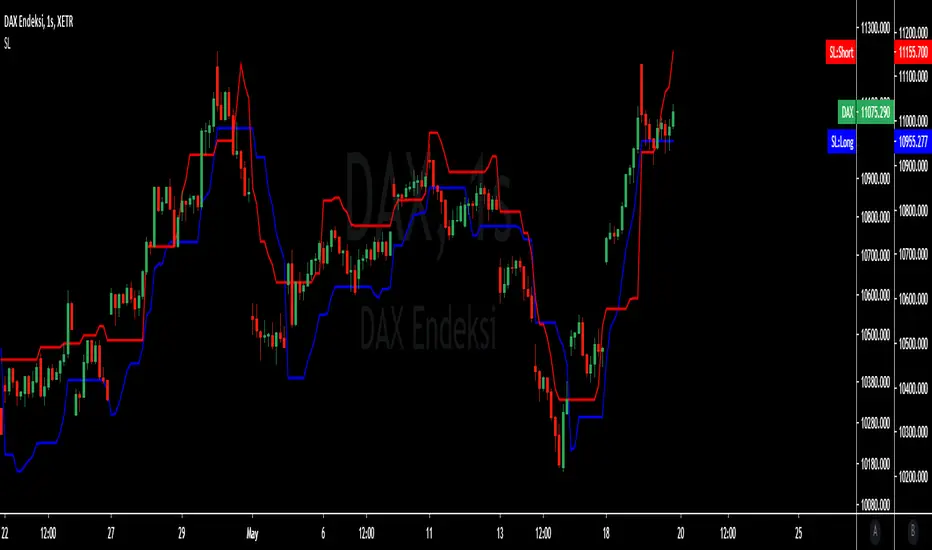
ATR ChannelsATR Channels help you to identify where to place your stop-loss or trailing stop-loss based on price volatility, according to the Average True Range (ATR).
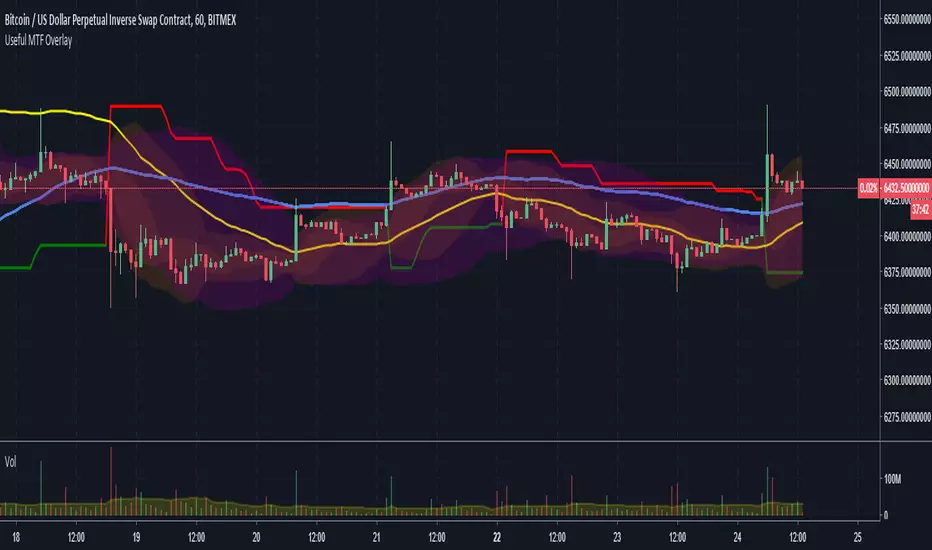
MTF Bollinger Bands, SuperTrend, TEMA Wave and ATR Stop LossThis script is a combination of useful overlay indicators that can be used for day trading or swing trading. You can use it for long term positions as well, but some tweaking may be required. I also added the multi time frame possibility for the majority of settings. This indicator gives you a lot of opportunities and trade setups. Default settings are made for day trading, using intraday time frames.
This script can display the following:
4 independent Bollinger Bands (MTF)
4 independent SuperTrends (MTF)
6 independent TEMAs (MTF)
ATR Stop loss for longs / shorts
Default settings display 3 Bollinger Bands, 2 TEMAs(I have found these two TEMAs particullarly useful, see screenshots below) and a signle SuperTrend.
Do not forget to always use a proper stop loss and risk management.
Here you can see the script in action in different markets:
BTC - BitMex - Setup before the drop from 7400 USD
BTC - BitMex - Setup before the drop from 8400 USD
BTC - BitMex - Setup before the pump to 7800 USD
BTC - BitMex - Setup before the pump to 6800 USD
All-in-One Solutions - Stop Loss Position CalculatorHello,
This indicator will calculate and plot your stop loss, according to your wallet size, order size, entry price, leverage and the pourcentage of risk that you want to consider.
Here is screenshot of the menu of the indicator :
imgur.com
The alert are also available if you desire to know if your stop loss is reached :
imgur.com
Please contact me in order to get access to this indicator. Please note that by subscribing to my offer, you will have access to all indicators I made and and the futur indicators I will develop according to the demand of the community.
Messages are welcome also in order to improve my indicators.
After subscribing, all indicators will be added into your under invitation indicators list or you can have a look on my Tradingview page :https://fr.tradingview.com/u/KenLeShim/#published-scripts
I hope my indicators will help you !
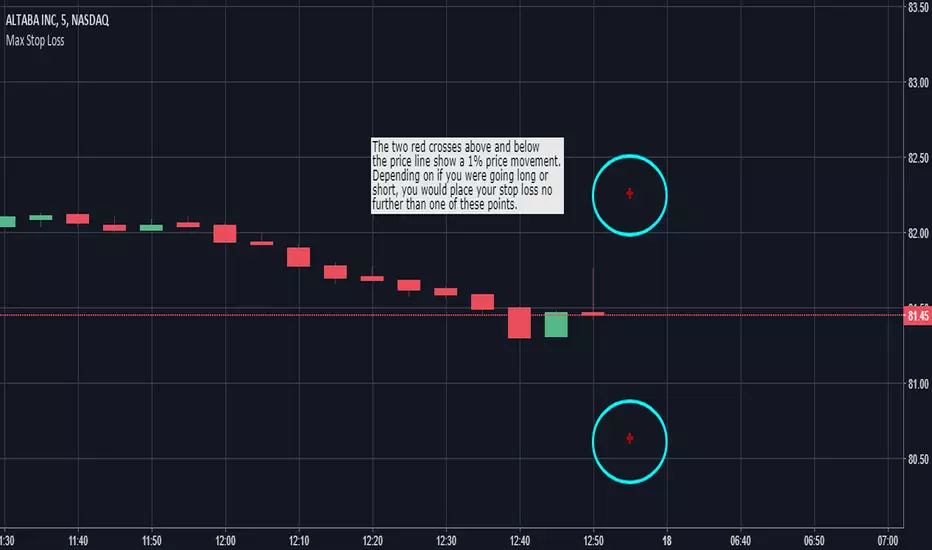
Max Stop Loss - Risk Management VisualizerThis indicator helps traders implement proper risk management in their trading. For example, let's say that you were trading a $1,000 account and didn't want to risk more than 1% of your account on any one trade. If you were placing $100 positions, you wouldn't want the price to move more than 10% against you (10% of $100 is $10, which is 1% of $1,000). So, assuming you were trading without any leverage, you would put "1000" into the "Max Stop Loss %" field in the format box and the indicator would display red crosses 10% above and below the current price of the market you are looking at. If you were going to take that same trade with 10x leverage, you would want to enter "100" into the indicator's format box and the red crosses would then plot themselves 1% above and below the current price.
"Max Stop Loss - Risk Management Visualizer" is able to show all the way down to a 0.01% price variation with no upper limit.
MavilimW and Stop Loss IndicatorMavlimW and Stop Loss Indicator scripts which have prepared by kivancfr3762, are merged .
kivancfr3762 hocanın önemli çalışmaları, mavilimW ve Stop Loss Indicator betiklerinin birleştirilmiş halidir.
ATR or % Based Trailing Stop for Delta Exchange (trade_crush)This indicator calculates and visually displays a dynamic trailing stop line on the chart based on either the Average True Range (ATR) or a fixed percentage of the current close price. Designed especially for futures or crypto traders using Delta Exchange, it helps determine where to place trailing stop loss orders to manage risk effectively.
Mastering ATR for Smart Stop Loss and Take Profit PlacementUsing the ATR indicator to set Stop Loss and Take Profit levels provides a dynamic and flexible way to manage risk based on the volatility of the market. This method ensures that your SL and TP are always in tune with current market conditions, preventing unnecessary stop-outs while maximizing the potential for profit. The table in the script makes it easy to view your calculated levels directly on the chart, improving your trading efficiency.
If you're looking for a more automated way to manage your trades, integrating ATR-based SL and TP can be a powerful tool in your strategy.
Happy Trading!
ATR Trailing Stop Loss [V5]A complete ATR Trailing Stop Loss in version 5.
Features Include:
Timeframe Option
Long/Short Triggers (Green/Red Triangles)
Long/Short Conditions (Bottom Colored Line)
"Golden" Long/Short Triggers (Yellow Triangles)(Hanging Man or Shooting Star Candlestick patterns breaking ATR trailing stop)
Alerts
Auto Stop
A simple script using the last three bars(including the current) and draws a line on the chart under that for an easy automated stop loss point
ATR with Take and StopThis simple indicator will plot the take profit and stop loss values based on the ATR indicator.
It's possible to set how many times the ATR value will be applied to the closing price and
what trade type is used, Long or Short.
Moving Stop Loss (Most) by ceyhunATR is an indicator that has been removed and replaced with a moving average.Bar colors and infopanel have been added.
//Barcolor
Green = ExMov > Most and close > Most and low > Most
Blue = ExMov > Most and close > Most and low < Most
Red = Most > ExMov and close < Most and high < Most
Yellow = Most > ExMov and close < Most and high > Most
//It gives White color where there is deterioration.
//InfoPanel
Buy Price = Blue draws the circles at the purchase price.
Profit Long>20 = Risk level taken as a percentage, I got the highest 20%, you can determine as you wish.
Sell Price = Red draws the circles at the purchase price.
Profit Short>20 = Risk level taken as a percentage, I got the highest 20%, you can determine as you wish.
==Atr Original Code==
CDC ATR Trailing Stop V2.1 (2013)
==Most Code==
MOST by Anıl ÖZEKŞİ
Barcolor
Barcolor
ATR Pips with Stop LossThis indicator shares ATR pips and a calculated 1.5 x stop loss calculation.
1st number is ATR.
2nd number is ATR x 1.5 (a typical SL when trading daily time frame).
The plot lines are really not that important- it's the actual numbers.
What I do is uncheck the plot line checkboxes (ATR & SL) so it doesn't show up, that way I can reduce the indicator window.
This script is a modified script by ATR Pips . Kept the BB section for now as it might be useful, but doubt it.
Future updates:
- editable the multiple for SL
- static daily numbers (right now this shows the timeframe you are viewing, I'd keep that but add a static daily ATR so you have both)
ATR Stop Loss VisualizerThis will help you figure out what stop loss settings work best for you. Some people might prefer ATR 14 * 0.5 for shorter timeframes, some might prefer more extreme settings such as ATR 30 * 2 to not get stopped out as often.
NeoIchi TrailingThis is the separation of moving average parts from NeoIchi indicator with addition of four different ATR setting that can be used for Stop Loss and Trailing Stops. The NeoIchi indicator won't have any moving averages any more, the code is secured but every one have access to use this indicator on their charts.
Alpha Net Stop Loss & Take Profit % 🔒 Invite-only Script: Alpha Net SL/TP %
An automated system that plots fixed-percentage Stop Loss and Take Profit zones using EMA 5/32 cross signals. It captures entries, plots TP/SL zones with colored fills, and tracks trade state.
📌 Features:
- EMA 5/32 cross-based entry signals.
- Auto-reset on SL/TP hit.
- Alerts for entry/exit.
- Clean zone visuals.
The code is protected to preserve proprietary logic. Please contact the author to request access.
VYW Stop Loss LinesA simple utility designed to visually display Stop Loss lines on the chart based on an offset from the current price (the orange dashed lines in the screenshot above).
This indicator can also draw a line from the current bar's close price to the Price axis (the dashed gray line in the screenshot above).